
Ghost Bars
Choose how many bars play and how many go silent: 2 on, 2 off. 1 on, 3 off. The silence is where your real timing shows up.
Every drummer drifts when the click disappears. Ghost Beat cycles between audible and silent bars to train your internal clock, so you can keep the beat without the click.
FREE · PRO IS A ONE-TIME $4.99 (US)
One bar of clicks. Then silence. Tap the beat while it's gone and get graded S through D. It's a taste of the app's Tap Accuracy mode.
Tap the center or press Space · Esc stops
Listen.
One bar of clicks sets the tempo.
Locked in.
100 BPM · 1 on / 1 off
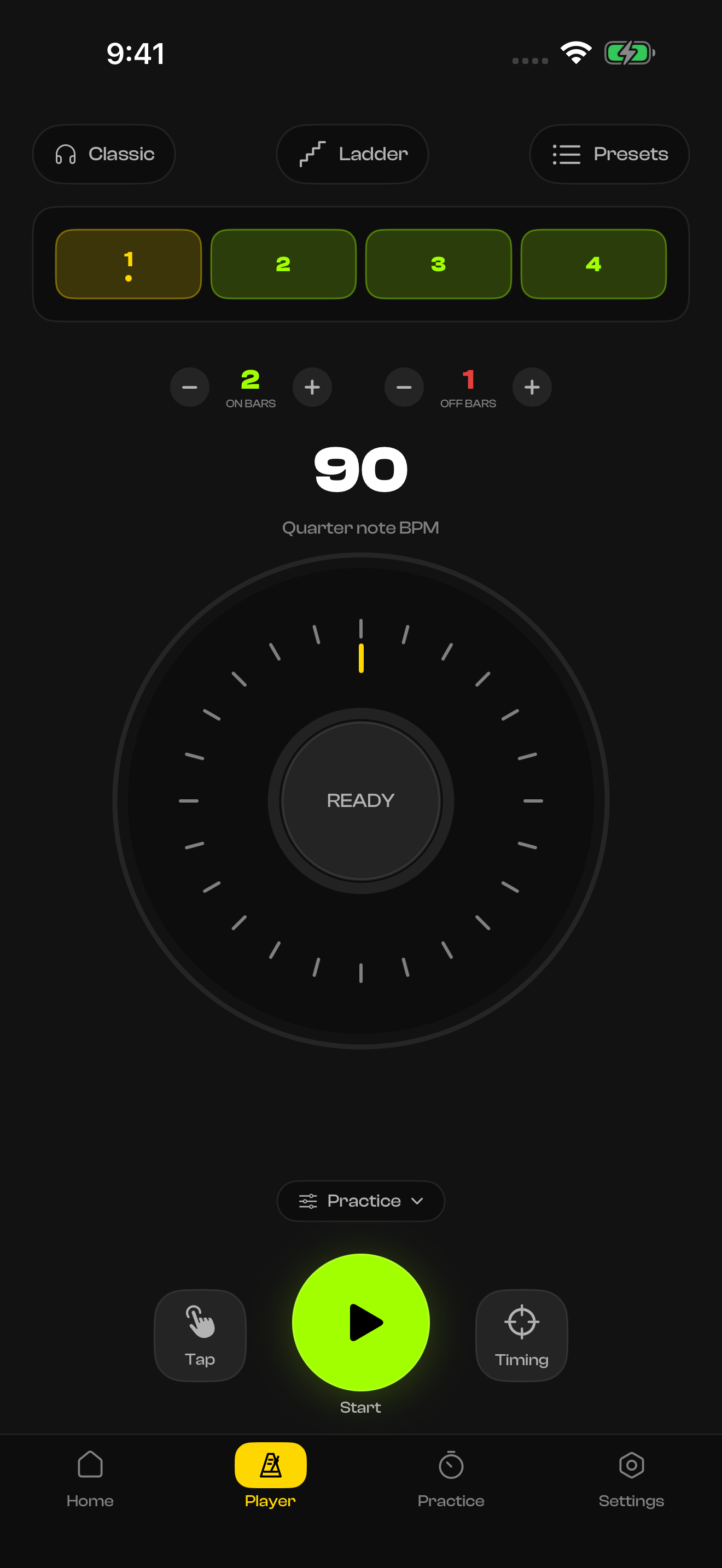
20–300 BPM on a proper rotary wheel. Set ON bars and OFF bars, pick your time signature and subdivision, and hit play. The pads track every beat in real time.
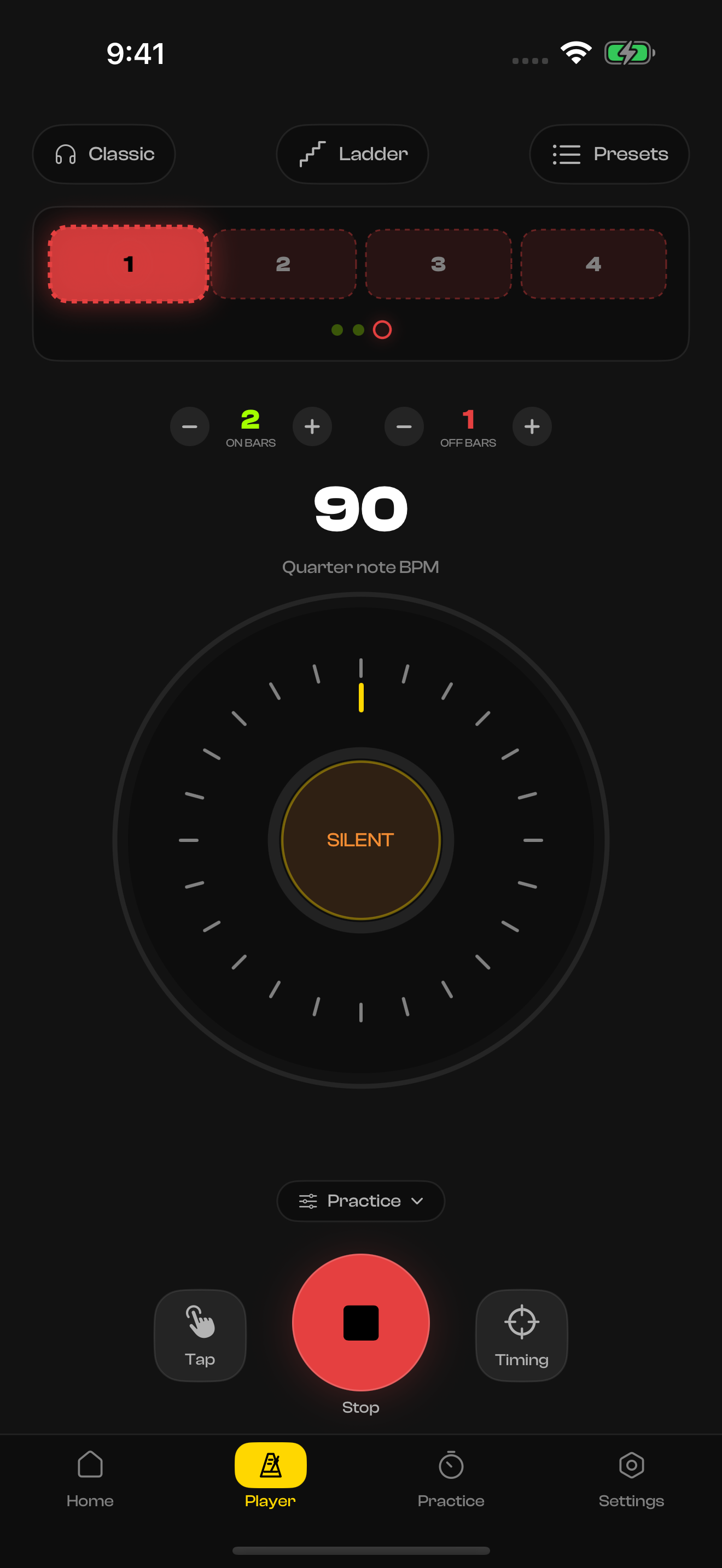
20–300 BPM · 8 time signaturesThe pads turn red, the room goes quiet, and the tempo is yours to lose. Here: 90 BPM, two audible bars, one silent. Work up to one audible bar in eight, or let Random Mute drop single beats unpredictably.
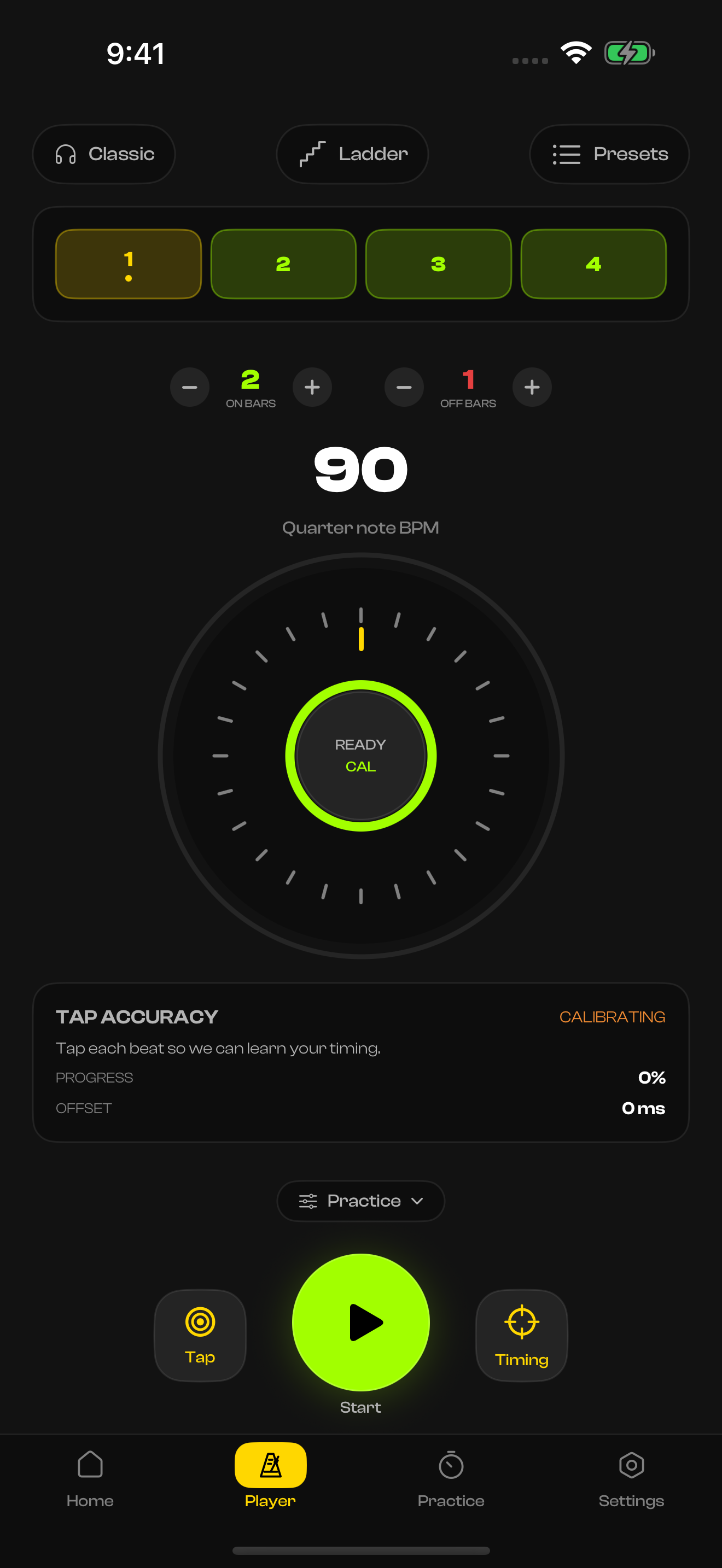
SILENT · 2 on / 1 offTap along and get graded S through D on every session. Your first 8 taps set a timing offset, then every tap after that is measured in milliseconds.
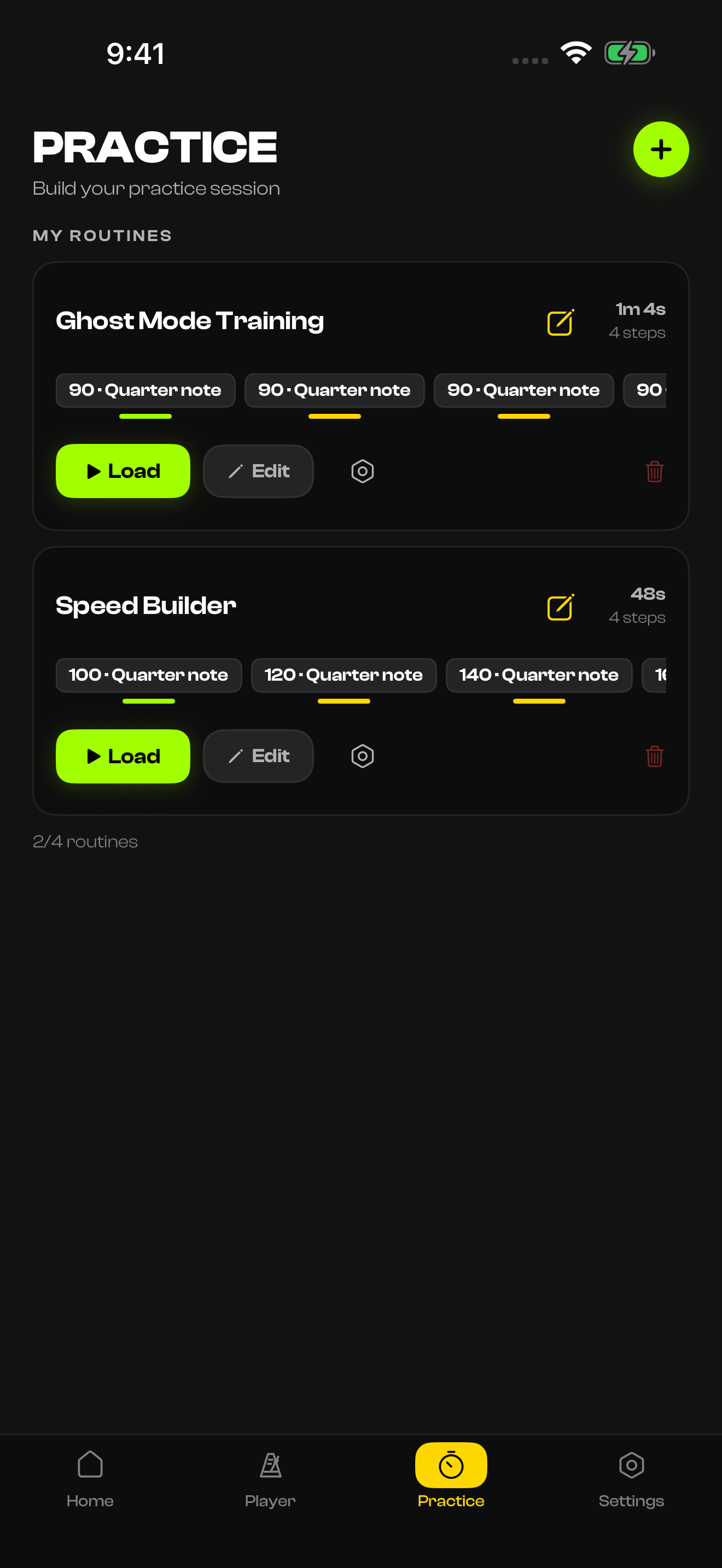
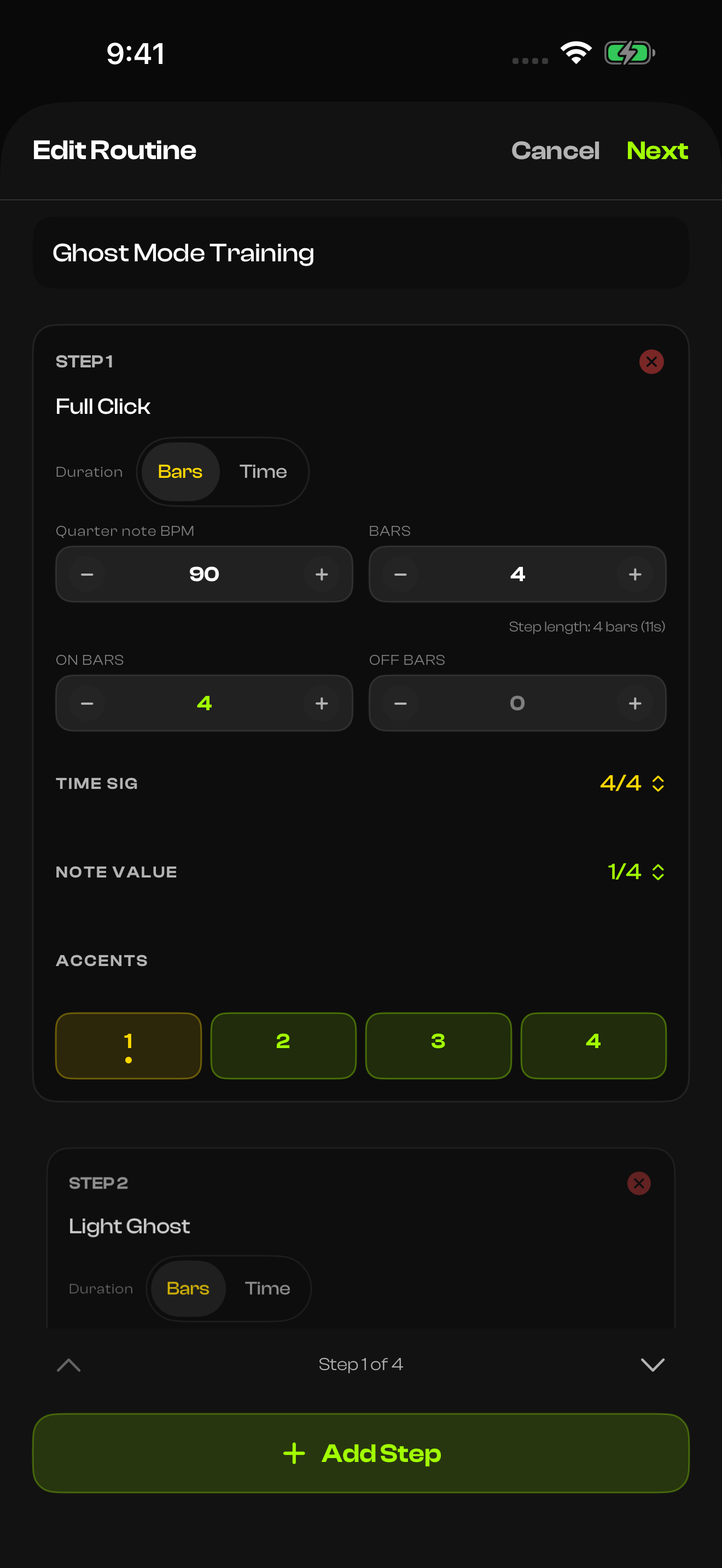
avg deviation · consistency · gradeBuild warm-ups and workouts with timed or bar-based steps. Give each step its own tempo, ghost pattern, time signature, and accents. Loop the routine and press start once.
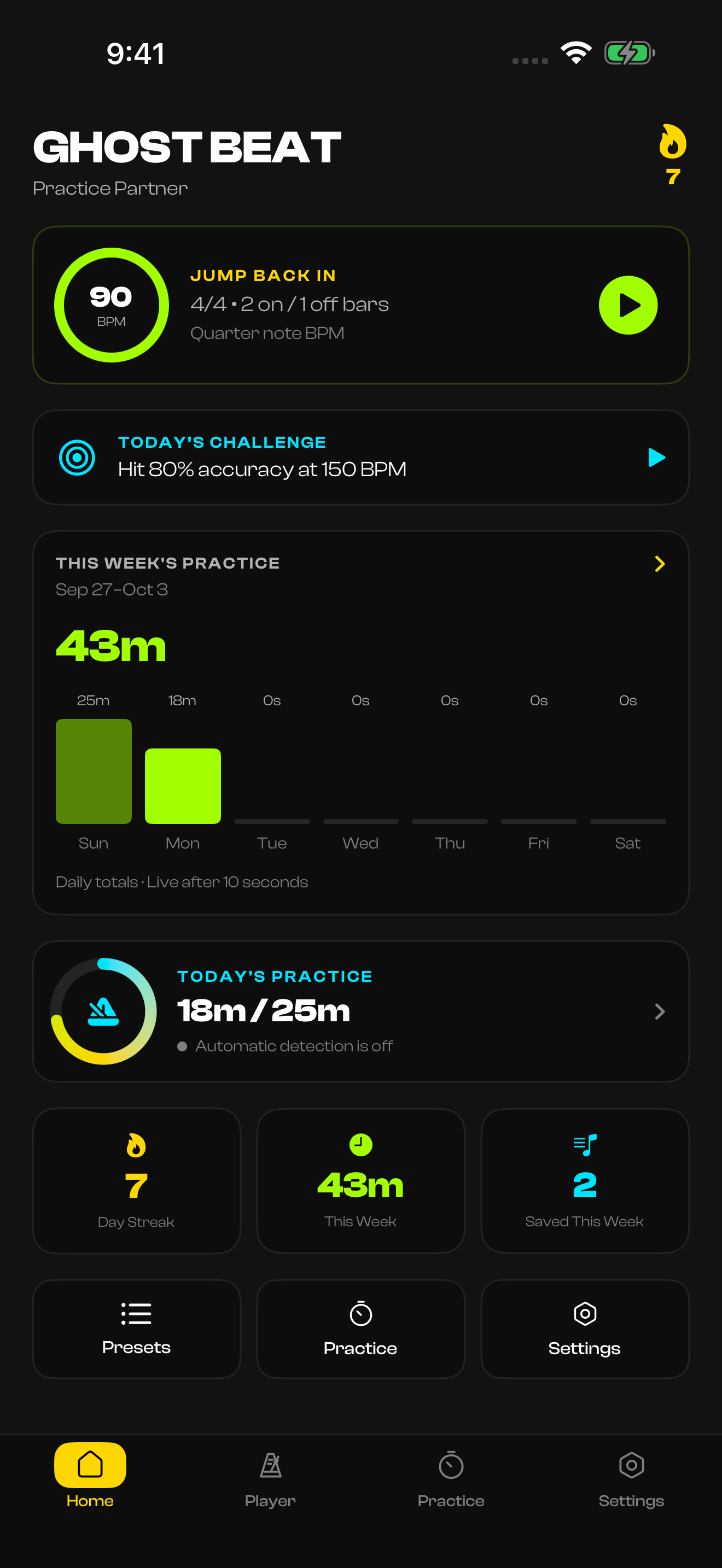
auto-advancing stepsSee your daily goal, weekly practice and streak in one place. Pick up your last session or take on today’s challenge.
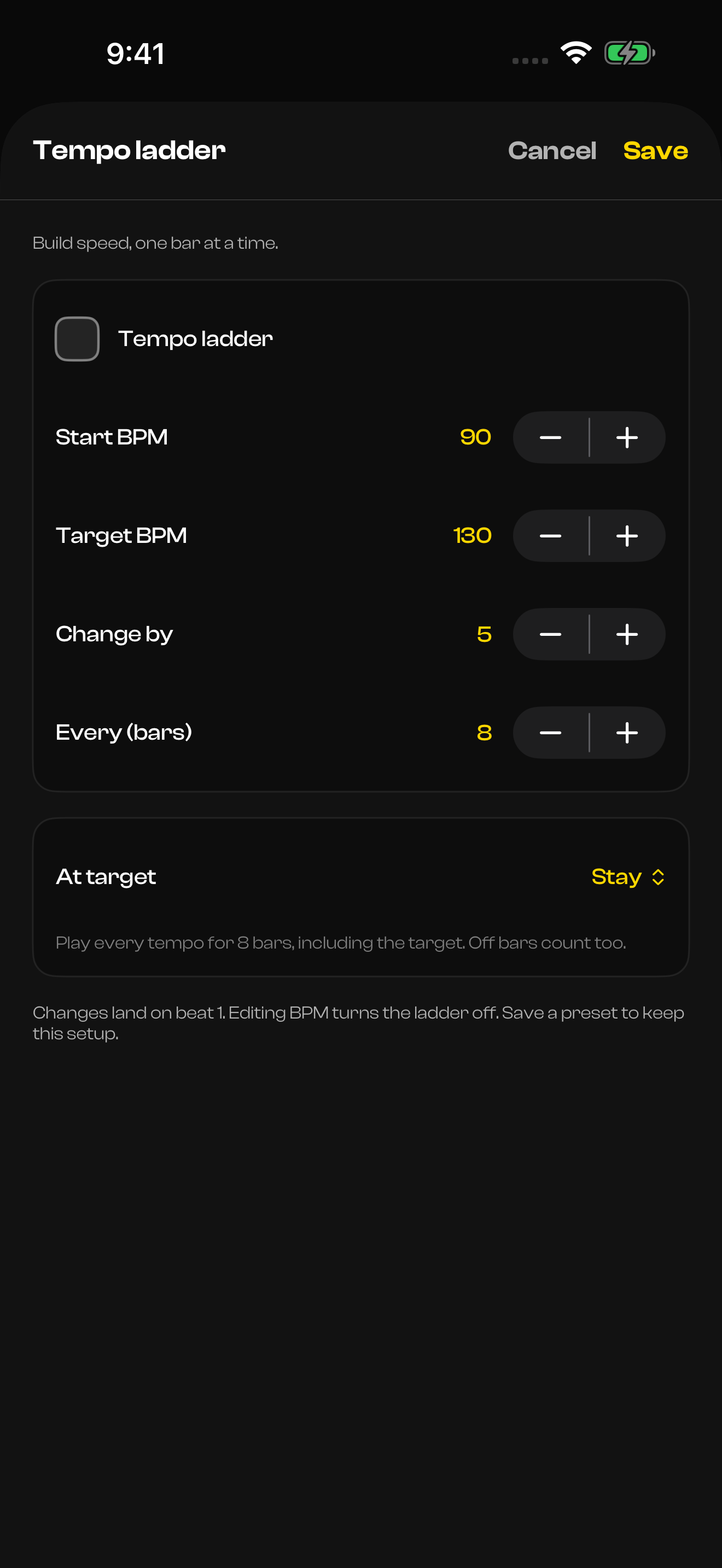
Daily goals · weekly practice · streaksPick a start and target tempo, how much to change, and how many bars to play between changes. Save it in a preset and let the player handle the tempo.
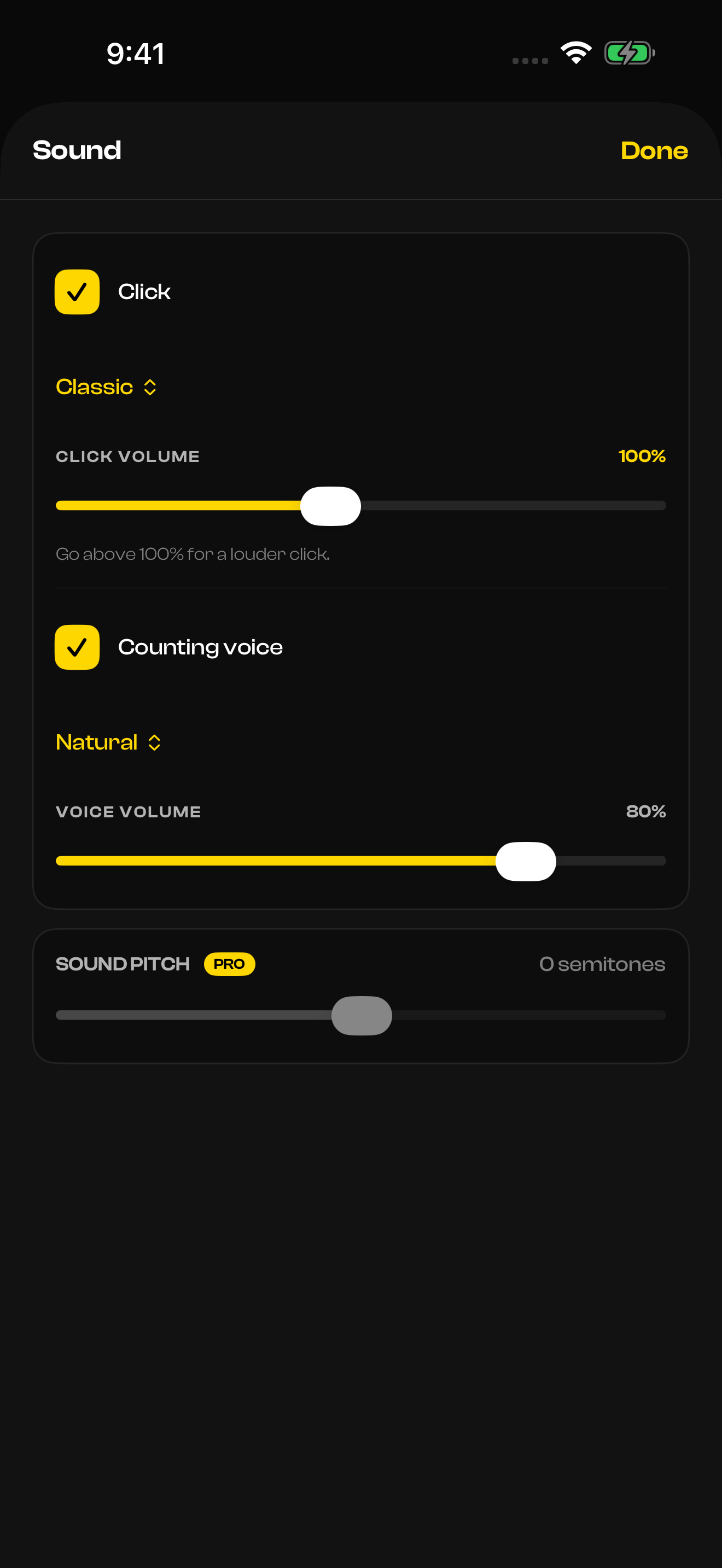
Included free · player + presetsPlay a click, spoken counts, or both. Mix their volumes separately and choose a Natural, Low, or Bright voice. Bar-based count-ins give you time to get ready.
Separate click + voice controlsBuild one step at a time. Set its length, tempo, note value, and accents, then move to the next. Keep the flow going with routine-specific sound and count-in settings.
Timed or bar-based steps · custom accentsTake the click away, a little at a time.
Choose how many bars play and how many go silent: 2 on, 2 off. 1 on, 3 off. The silence is where your real timing shows up.
Beats vanish unpredictably, so you never know which one is next. Train for real performances, where timing isn't spoon-fed.
Work up to playing in total silence. Beats fade out over bars until the safety net is completely gone.
Build toward a target tempo automatically, with a change every few bars. Available free on the player and in presets.
Progress in timing terms, not just minutes.
Find out how consistent your timing really is. Your first taps set a timing offset, then every tap is measured in milliseconds and graded S through D.
Streaks, session history, timing grades, and weekly charts show progress in timing terms, not just minutes.
Fill your practice ring, see weekly totals, and get an optional notification when you reach your daily goal.
A new timing challenge every day. Survive ghost bars, hit accuracy targets, or hold tempo for a set time.
Sessions that run themselves, and count themselves.
Chain exercises with BPM, ghost pattern, and time signature per step. Press play once.
Press and hold Start to listen, then play to begin. Calibrate sensitivity for your kit and room, with optional stopping after silence.
Track playing with the app open and active, even without the click. Use your microphone, a connected audio input, or a MIDI kit. Audio stays on your device.
Hear the count alongside your click. Choose Natural, Low, or Bright, with separate volumes for the click and voice.
Your sound, your setup, your library.
Pick your time signature, note value, accents, click sound, bar-based count-in, and haptics. Pro adds adjustable click pitch.
Save reminders, sticking ideas, and what to work on next right on your routines and presets.
Keep routines, presets, practice history, goals, and saved notes together on iPhone, iPad, and Mac. Optional, using the same Apple Account.
Unlimited routines, steps, and presets, plus click pitch, progressive fade, extended stats, and practice notes. One purchase, no subscription.
Ghost Beat listens to help you practice. It doesn't keep what it hears.
Read the privacy policyThere are no ads and no advertising tracking. No advertising identifier is used.
Microphone input is analyzed live on your device. It isn't saved as a recording or uploaded.
Apple handles the Apple Account used for purchases and optional iCloud sync.
iCloud sync is off by default. Turn it on and your library lives in your private iCloud database.
Ghost Beat 3 sends basic app-session analytics through TelemetryDeck. It never includes your practice content, audio, or MIDI. Details in the privacy policy.
Yes. It's free to download, with ghost bars, Random Mute, tempo ladders, and daily goals included, plus 4 routines, 6 steps per routine, and 3 presets. Pro is a one-time purchase ($4.99 in the US; the App Store shows your local price) that unlocks unlimited routines, steps, and presets, click pitch, progressive fade, extended stats, and practice notes. No subscription.
iPhone, iPad, and Mac. Optional private iCloud sync keeps routines, presets, practice history, goals, and saved notes together across your devices using the same Apple Account.
No. There's no Ghost Beat account. Apple handles the Apple Account used for purchases and optional iCloud sync.
No. Microphone or connected audio input is analyzed live on your device for hands-free starts, calibration, and practice tracking. It isn't saved as a recording or uploaded, and MIDI performances aren't recorded either.
A bar where the click goes silent. Ghost Beat alternates audible bars with silent ones, like 2 on and 1 off, so you hold the tempo yourself. Work up to one audible bar in eight, or let Random Mute drop single beats unpredictably.
Ask anything else
